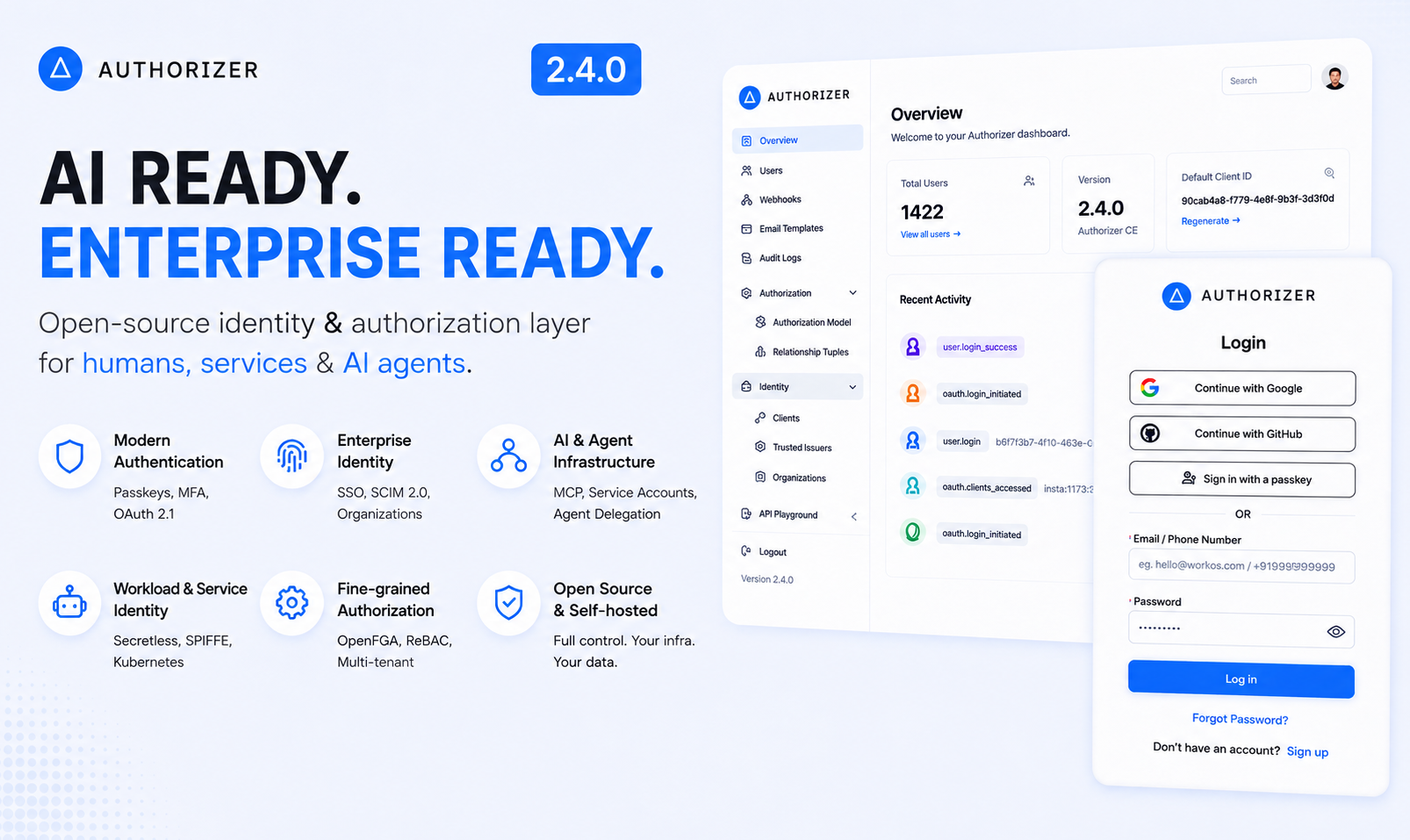
Authorizer v2 Is Here: Self-Hosted Auth, Rebuilt From the Ground Up
We just shipped Authorizer v2 — a major rewrite of our open-source, self-hosted authentication and authorization server.
If you've ever been frustrated by per-seat auth pricing, vendor lock-in, or shipping your users' data to someone else's cloud — this release is for you.
TL;DR: Single Go binary. 13+ database backends. CLI-driven config. OAuth 2.0/OIDC compliant. Deploy in 5 minutes. Free forever.
GitHub | Docs | Website | Migration Video
Why We Built v2
Authorizer v1 worked. Teams used it in production. But we kept hearing the same feedback:
"Config stored in the database felt fragile." "I want to manage auth config the same way I manage everything else — through code." "It's hard to audit what changed and when."
So we rethought the entire configuration model.
v1: Configuration lived in the database, encrypted. You changed settings through the dashboard UI or a GraphQL mutation. Convenient, but opaque — you couldn't version-control your auth config, couldn't audit changes easily, and secrets sat in a persistent store.
v2: All configuration is passed via CLI flags at startup. That's it. No .env files. No database-stored config. No mutation to accidentally expose secrets. Your auth server is configured the same way you configure every other 12-factor service.
authorizer \
  --database-type postgres \
  --database-url "postgres://user:pass@localhost:5432/auth" \
  --jwt-type=HS256 \
  --jwt-secret=test \
  --admin-secret=admin \
  --client-id=123456 \
  --client-secret=secret
That's a production-ready auth server. One command. No magic.
What's in v2
13+ Database Backends
Use whatever database your team already runs:
| Category | Supported |
|---|---|
| SQL | PostgreSQL, MySQL, SQLite, SQL Server, MariaDB, YugabyteDB, PlanetScale, CockroachDB, LibSQL |
| NoSQL | MongoDB, ArangoDB, CassandraDB, ScyllaDB |
| Cloud | AWS DynamoDB, Couchbase |
No other open-source auth server supports this many backends. If you're already running MongoDB or DynamoDB — you don't need to spin up a separate Postgres just for auth.
11 Social Login Providers
Google, GitHub, Facebook, Apple, LinkedIn, Microsoft, Discord, Twitter, Twitch, Roblox — all configured with a pair of CLI flags:
--google-client-id "..." --google-client-secret "..."
--github-client-id "..." --github-client-secret "..."
Multi-Factor Authentication
TOTP — Google Authenticator, Authy, 1Password
Email OTP — One-time codes via email
SMS OTP — Via Twilio integration
Enforceable globally with
--enforce-mfa
Full OAuth 2.0 / OIDC Compliance
Authorization code flow with PKCE (RFC 7636)
Implicit token and ID token flows
JWKS endpoint (
/.well-known/jwks.json)9 JWT signing algorithms (HS256/384/512, RS256/384/512, ES256/384/512)
Custom access token claims via JavaScript scripts
Developer Experience
GraphQL API — Introspectable schema, admin operations prefixed with
_REST endpoints — Standard OAuth 2.0/OIDC paths
SDKs — React, JavaScript, Go, Svelte, Vue, Flutter
Built-in UI — Login/signup pages out of the box, themeable
Admin dashboard — User management, role assignment, email templates
Webhooks — 8 event types for real-time integrations
Role-Based Access Control
Define roles, set defaults, protect sensitive ones:
--roles "user,admin,editor" \
--default-roles "user" \
--protected-roles "admin"
One-Command Deployment
# Docker
docker run -p 8080:8080 -u root \
  -v authorizer_data:/authorizer/data \
  lakhansamani/authorizer \
  --database-type=sqlite \
  --database-url=/authorizer/data/data.db \
  --client-id=123456 \
  --client-secret=secret \
  --admin-secret=admin \
  --jwt-type=HS256 \
  --jwt-secret=test
# Or one-click deploy on Railway, Heroku, Render, Koyeb
Single binary. No JVM. No app server. No runtime dependencies.
What Changed From v1
If you're upgrading, here's what matters:
| v1 | v2 | |
|---|---|---|
| Configuration | Stored in DB, editable via dashboard | CLI flags only, immutable at runtime |
| Binary name | server |
authorizer |
| Env vars | Read from .env and OS |
Pass as CLI arguments |
| Dashboard | Can change server config | Read-only (user management only) |
| Mobile auth | Separate mobile_signup/mobile_login |
Use signup/login with phone_number |
| Admin auth | Header always enabled | Can disable header auth for security |
| SDK versions | authorizer-js v2, authorizer-react v1 | authorizer-js v3, authorizer-react v2 |
We wrote a detailed migration guide covering every breaking change. Prefer video? Here's a step-by-step migration walkthrough on YouTube.
What's Coming Next: The Roadmap
We're not stopping here. Here's what's planned across five phases:
Phase 1: Security Hardening
The foundation for enterprise adoption:
Rate limiting & brute force protection — Per-IP, per-user throttling and account lockout
CAPTCHA integration — Cloudflare Turnstile and Google reCAPTCHA v3
Leaked password detection — Have I Been Pwned API integration
Structured audit logs — Queryable event trail for compliance
Prometheus metrics —
/metricsendpoint for observabilitySession security — Device fingerprinting, unrecognized device alerts, remote revocation
Phase 2: Authorization & Machine-to-Machine
Moving beyond basic RBAC:
Fine-grained permissions — Resource-level access control (
document:read,project:admin)M2M authentication — OAuth 2.0 client credentials grant for service-to-service
Service accounts — Application identities that aren't tied to humans
API key management — Let your users create and manage their own API keys
Organization enhancements — Domain-based routing, org-level policies, invitations
Phase 3: Enterprise SSO & Federation
What enterprise buyers ask for on day one:
SAML 2.0 — Connect to Okta, Azure AD, OneLogin
SCIM 2.0 / Directory Sync — Automated user provisioning and deprovisioning
Authorizer as OIDC Provider — Issue tokens for downstream services
Self-service admin portal — Let customer IT teams configure their own SSO
Phase 4: AI-Era Authentication
Auth is changing. AI agents need identity too:
MCP (Model Context Protocol) authorization — Secure tool access for AI agents
Agent-to-Agent (A2A) authentication — Identity and delegation for autonomous agents
OAuth 2.1 compliance — Mandatory PKCE, no implicit grant, refresh token rotation
Token exchange (RFC 8693) — Delegation and impersonation flows
Dynamic client registration (RFC 7591) — Programmatic OAuth client creation
Phase 5: Advanced Security & Modern Standards
Passkeys / WebAuthn (FIDO2) — Passwordless with hardware keys
DPoP (RFC 9449) — Proof-of-possession tokens to prevent token theft
Advanced bot protection — Risk scoring, credential stuffing detection
SIEM integration — Stream logs to Datadog, Splunk, Elastic
The full roadmap is on GitHub.
Why Self-Hosted Auth Matters in 2026
Three trends are making self-hosted auth more relevant than ever:
1. Data sovereignty isn't optional anymore. GDPR enforcement is accelerating. New regulations in India, Brazil, and across APAC require data residency. If your auth provider stores user data in a region you can't control, you have a compliance problem.
2. Auth pricing doesn't scale. Hosted auth providers get expensive fast — they charge per user, per connection, or per feature. With Authorizer, you pay for a server. That's it.
3. AI agents need auth too. MCP, A2A, and OAuth 2.1 are the emerging standards for agent authentication. The auth layer needs to evolve — and you want that evolution to happen on infrastructure you control.
Get Started
5-minute quickstart:
docker run -p 8080:8080 -u root \
  -v authorizer_data:/authorizer/data \
  lakhansamani/authorizer \
  --database-type=sqlite \
  --database-url=/authorizer/data/data.db \
  --client-id=123456 \
  --client-secret=secret \
  --admin-secret=admin \
  --jwt-type=HS256 \
  --jwt-secret=test
Open http://localhost:8080 — you have a working auth server with a login page.
Add it to your React app:
npm install @authorizerdev/authorizer-react
import { AuthorizerProvider, Authorizer } from '@authorizerdev/authorizer-react';

function App() {
  return (
    <AuthorizerProvider
      config={{
        authorizerURL: 'http://localhost:8080',
        redirectURL: window.location.origin,
        clientID: 'my-app',
      }}
    >
      <Authorizer />
    </AuthorizerProvider>
  );
}
That's email/password auth, social logins, and session management — in 15 lines.
One-click cloud deploy:
Join the Community
Star us on GitHub: github.com/authorizerdev/authorizer
Website: authorizer.dev
Read the docs: docs.authorizer.dev
Watch the migration video: YouTube — v1 to v2 migration
Join Discord: discord.gg/n7DfTjCAn — Chat with the team and other developers
Contribute: Check out our contributing guide
Authorizer is Apache 2.0 licensed. It's free, it's open source, and your data stays yours.
We'd love your feedback, bug reports, and contributions. If this solves a problem for you — give us a star. It helps more than you think.
Sponsor Authorizer
Authorizer is built and maintained by the community. If it saves you time or money, consider sponsoring the project to keep development going:
Built with Go. Powered by the community. Owned by you.
About the author: I'm Lakhan Samani, creator of Authorizer. Connect with me on LinkedIn or X/Twitter.
About the author
I’m Lakhan Samani from India 🇮🇳. I’m the creator and maintainer of authorizer.dev | Freelance Software Engineer | Prev: Cloud Software Engineer at ArangoDB. I am passionate about building products and developer tools. This website is my internet space, where I write about Building Software | Open Source | Finance and Life.
Comments
Join the discussionNo comments yet. Be the first to comment.